

In a world where passwords alone are no longer enough to protect sensitive information, multi‑factor authentication (MFA) has become one of the simplest and most effective cybersecurity tools available today. Whether accessing email, banking, cloud storage, or corporate systems, MFA adds an essential extra layer of security that prevents attackers from walking straight into your accounts – even if they have your password.
For South African small and medium-sized enterprises, compromised credentials continue to be among the leading causes of data breaches. As such, multi-factor authentication is now regarded as an essential requirement for modern business operations.
What Is MFA?
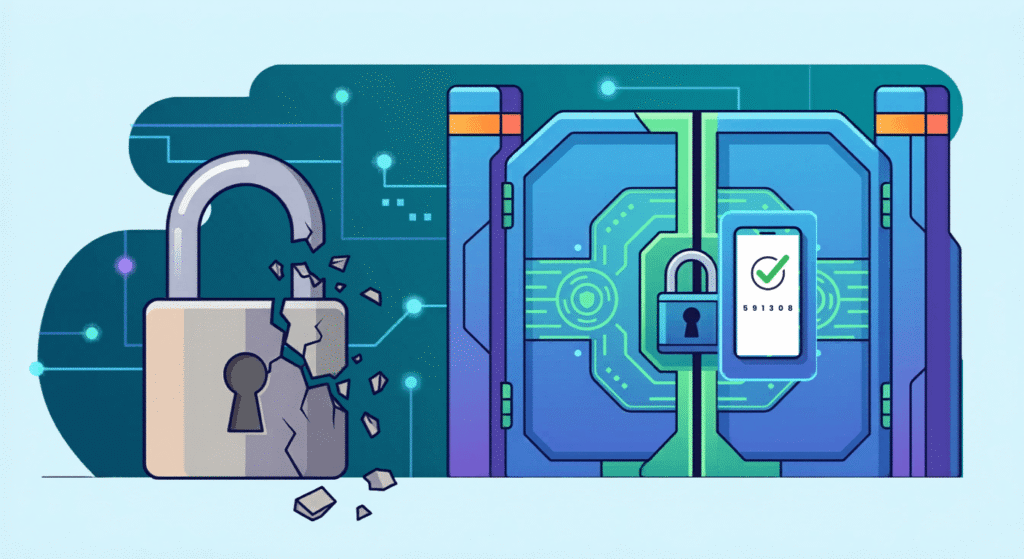
Multi‑Factor Authentication (MFA) is a security method that requires users to verify their identity using two or more factors before they can log in. These factors typically come from three categories:
Something You Know
- Password
- PIN
- Security questions
Something You Have
- Smartphone with an authenticator app
- Hardware token
- One-time passcode (OTP)
Something You Are
- Fingerprint
- Facial recognition
- Retina scan
True MFA requires two different types of factors (e.g., password + phone app), making it far stronger than just a password or two passwords.
How MFA Works

When signing in to an MFA‑protected account, the process typically looks like this:
- Enter your password (knowledge factor).
- Verify with a second factor.
That second factor is usually one of the following:
- A code from an authenticator app
- A fingerprint scan
- A hardware key
- An SMS code (acceptable – but less secure)
For example, when signing into Microsoft 365, the system will require your password and then prompt for a verification code from Microsoft Authenticator or your mobile number.
MFA requests additional verification only when necessary. For example:
- You sign in from a new device
- You change your password
- Your login looks unusual or risky
This keeps the experience smooth while strengthening security significantly.
Benefits of MFA

Stronger Protection Against Account Compromise
Even if attackers steal your password through phishing, malware, or credential leaks, they still cannot log in without the second factor.
Protection Against Common Attacks
MFA makes it much harder for criminals to break into your account, helping protect you from:
- Trick emails (phishing) that try to steal your login details
- Using the same password in different places, which can cause problems if one site gets hacked
- People guessing your password over and over until they get it right (brute force)
- Hackers trying lots of username and password combinations they’ve found online (credential stuffing)
- Scammers who try to fool you into sharing your information (social engineering)
Regulatory & Compliance Support
Many industries now require MFA to meet:
- Data‑protection expectations
- Payment Card Industry security requirements
- General identity and access management best practices
Safer Remote & Hybrid Work
As employees access their accounts from various devices and locations, multi-factor authentication enhances identity security in distributed settings.
How SMEs Benefit From MFA
SMEs are often targeted because attackers expect weaker security. MFA closes that gap affordably and effectively.
Protect Business Email
Most financial fraud begins with compromised inboxes.
Safeguard Cloud Services
Microsoft 365, Google Workspace, CRMs, and accounting tools become safer instantly.
Reduce Risk from Human Error
Busy teams accidentally clicking phishing links is common – but MFA stops attackers from getting in.
Low Cost, High Impact
MFA is one of the highest‑value, lowest‑cost security upgrades available.
MFA Implementation Tips
- Use authenticator apps, not SMS: SMS codes can be intercepted through SIM-swapping. Authenticator apps like Microsoft Authenticator, Google Authenticator, or Authy are much safer.
- Use biometrics or hardware keys for sensitive accounts: Finance, HR, and admin accounts should have the strongest protection.
- Consider passwordless or adaptive MFA: Modern systems can evaluate risk levels and request extra verification only when needed.
- Regularly review MFA settings: Staff leave, devices change, and authenticator apps get upgraded, keep your MFA records up to date.
Why You Should Use Microsoft for MFA
Microsoft’s ecosystem offers several advantages for SMEs:
Seamless Integration with Microsoft 365
Email, Teams, SharePoint, OneDrive, and business apps all support MFA natively.
Microsoft Authenticator Is Robust and User-Friendly
- Offline functionality
- Push notifications
- Passwordless sign-in
- Full integration with Microsoft Identity provider
Strong Security Features
- Adaptive risk-based authentication
- Device management
- Conditional access
- Built-in audit and monitoring tools
POPIA-Aligned Controls
Microsoft’s identity tools support compliant data governance.
Familiar Environment for SME Teams
Most SMEs already use Microsoft tools daily – making adoption simple.
Frequently Asked Questions
Is MFA difficult for staff to use?
No. After initial setup, it only adds a few seconds during unusual sign-ins.
Is MFA expensive?
Not at all. Most cloud platforms (including Microsoft 365) include MFA at no extra cost.
Does MFA stop phishing?
MFA prevents attackers from logging in even if a password is stolen – making phishing attempts far less effective.
Can MFA be bypassed?
While no system is perfect, MFA drastically reduces the success of most cyberattacks.
What if staff lose their phone?
Backup methods (email, alternate number, hardware key, recovery codes) make recovery simple.
Is SMS MFA safe?
Better than nothing, but authenticator apps or biometrics are strongly recommended.
How Seitfin Can Help
Seitfin helps South African SMEs strengthen identity security by implementing MFA that is:
- Practical
- Easy for staff
- POPIA‑aligned
- Integrated with Microsoft
- Supported end‑to‑end
We assist with:
- Microsoft 365 MFA setup
- Authenticator app rollout
- POPIA‑ready identity management
- Security best‑practice reviews
- Email & phishing protection
- Threat detection & prevention
If your business wants secure, simple protection that actually works, Seitfin can help you deploy MFA the right way.